
Wiki
Distribution
Copy files (plugins, shared content) from a source repository to a target repository by path patterns. Publishing, remapping, locks skipped.
Introduction
Distribution copies files (a plugin, a shared content pack) from a source repository to a target repository, limited to a set of path patterns. It creates new revisions in the target, so the usual incremental synchronization propagates the content to clients. It is the way to share the same plugin across several projects without manual copy and paste.
Access and roles
manage_rules capability, held by admin and lead, across the entire
server. A project_admin, which holds no capability, does not have access. A
lead, on the other hand, can link any repository to any other.
Create a link
1. Open the Distribution tab
The Distribution tab is in the SERVER row: a link connects two repositories, so it does not depend on the repository chosen in the PROJECT row. Click + New Link, top right: the New Distribution Link dialog opens.
2. Choose the source, the target and the paths
Source Repository is the repository the files come from, Target Repository the
destination one: the chosen source disappears from the target list, a link cannot loop back on itself.
Path Patterns takes one pattern per line (for example
Plugins/MyPlugin/, Content/SharedAssets/), and at least one is required: without a pattern,
nothing would be copied.
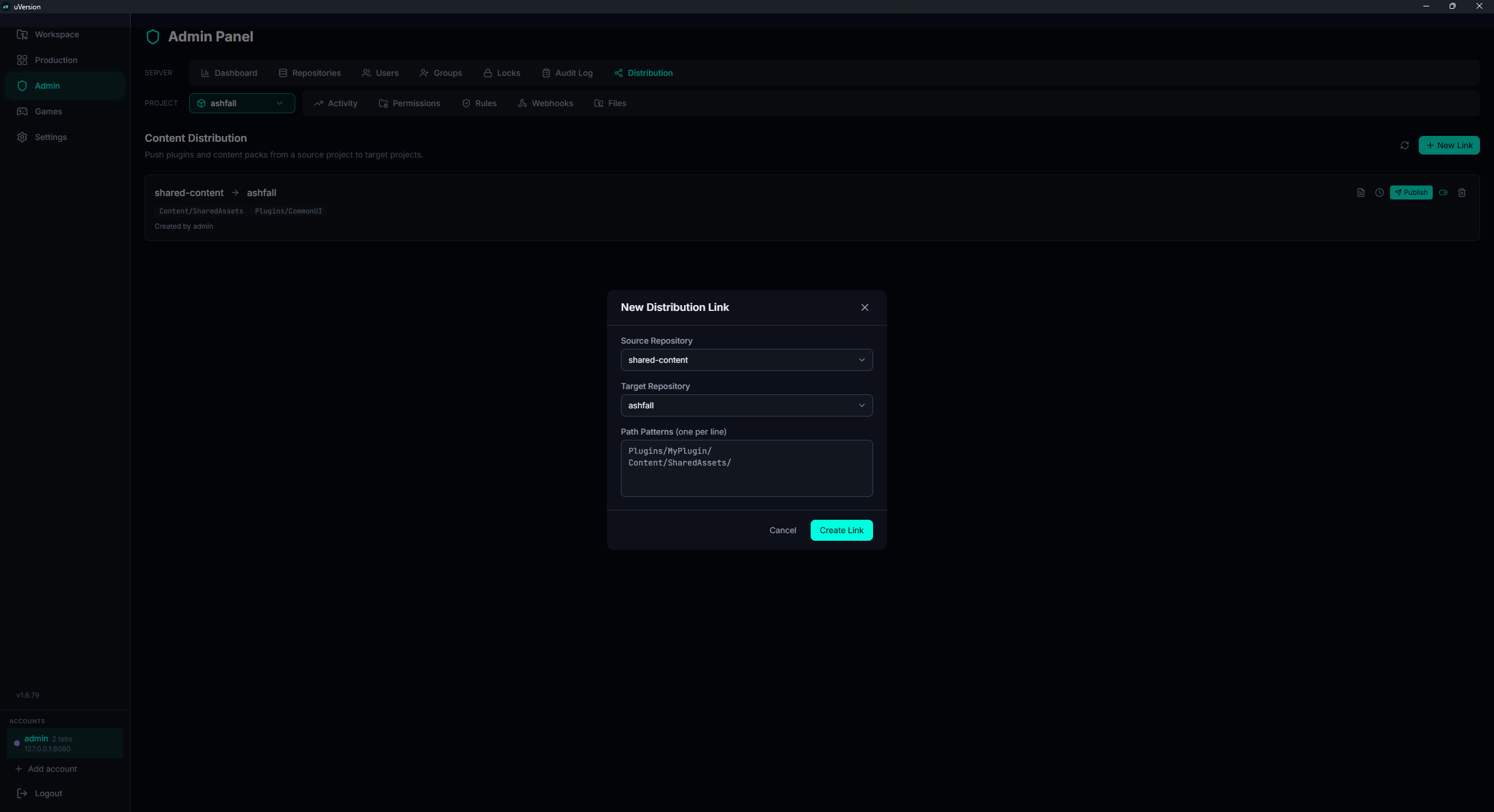
3. Confirm with Create Link
The link appears in the list at once. A link that already exists between the same two repositories is refused (conflict): edit the existing one rather than creating a second.
Path patterns
A pattern matches a path if it appears anywhere in it (a "contains" style search).
So a Plugins/uVersion pattern matches
DefaultProject/Plugins/uVersion/Source/Foo.cpp regardless of the project prefix. The trailing slash
changes nothing.
Publishing
1. Locate the link and its actions
Each link takes one row of the list: source → cible, its patterns as pills, who created it and the date
of the last publication. The actions are grouped on the right of the row: Show pending files
(file icon), Publish history (clock), Publish, the switch that enables or disables
the link, and deletion.

2. Check what is about to go out
Show pending files expands, under the row, the list of files that differ, with their source revision and a total in the title (Pending Files (N)). Each carries its state: new, modified or locked. If everything is up to date, the panel says so.

3. Publish
The Publish button runs the copy. A green banner summarizes "Published: X source files found, Y updated, Z skipped (locked), W unchanged". The button is disabled as long as the link is inactive, and publishing an inactive link returns an explicit error.
A file that is locked in the target is skipped, not overwritten. A file whose content is identical (same hash) is counted as unchanged and skipped. Publishing is atomic (a single transaction).
Publish history (clock) then gives the last 50 publications: how many files updated and skipped, by whom, and when.
Remapping and revisions
The path is rewritten for the target: uVersion strips whatever precedes the pattern that matched, then
adds the prefix detected on the target. Example: source
DefaultProject/Plugins/uVersion/foo.cpp, pattern Plugins/uVersion, target prefix
CineDroneStudio/ → CineDroneStudio/Plugins/uVersion/foo.cpp. The target prefix is inferred
from an existing file in the target (handling repositories with or without a project subfolder).
Common pitfalls
"Publish" is greyed out
The link is inactive. Enable it first. Publishing an inactive link returns an explicit error.
A file is not updated in the target
Either it is locked on the target side (it is then skipped and counted as "locked"), or its content is already identical (counted as "unchanged"). Check the publication summary and the pending files list.
A project_admin does not see the tab
This is intended: distribution requires manage_rules (admin or lead). A project_admin has no access,
even on its own repositories.