
Wiki
Roles & admin panel
The uVersion administration panel: who can open it, the 9 roles, super admin versus project_admin, the rank hierarchy, and which tab is available to whom.
Introduction
The administration panel is built into the uVersion desktop client. It brings together the management of users, groups, permissions, validation rules, webhooks, distribution and a repository's files. This page explains the role system that everything else relies on: read it before the other pages in this section.
Three words come up everywhere. A repository is a versioned project on the server. A
role is the label an account carries (admin, artist,
viewer…) and it says what that account is allowed to do. A permission says on which
folders it can do it.
Opening the panel
1. Open the Admin entry
Sign in to the desktop client with an account that has an administration role, then open the
Admin entry in the sidebar. Accounts without an administration role do not see this entry.
Two roles open it: admin (super administrator) and project_admin (project
administrator). What they see there is not identical: see the next section.
2. Spot the two rows of tabs
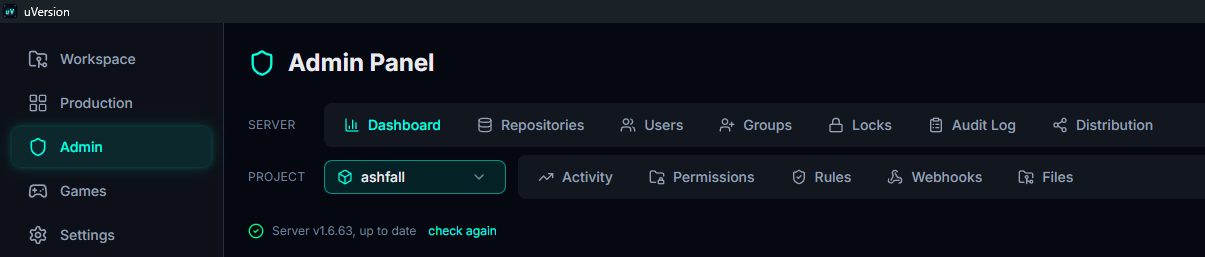
Under the Admin Panel title, the tabs are arranged in two rows. The top one, SERVER, concerns the whole server and does not depend on any project. The bottom one, PROJECT, acts on the repository chosen in the repository selector placed at the head of that row: changing repository changes what these tabs display. It is the first thing to check when a tab does not show what you expect.
Super admin vs project_admin
uVersion distinguishes two levels of administration:
- Super admin (role
admin): authority over the whole server. It manages all repositories, all users, the global settings, the audit log, the licence. - project_admin: a full administrator, but only of the projects it administers. On its repositories it does everything an admin does (permissions, rules, webhooks, GC, obliteration). Outside its repositories it has no administration power.
The principle: a project_admin is a full administrator of its own projects, and nothing elsewhere. That is why its panel is compartmentalised: some global actions (see below) stay reserved for the super admin.
The 9 roles
| Role | What it is for |
|---|---|
admin | Super administrator: full access, whole server. |
project_admin | Project administrator: full admin of its repositories, nothing elsewhere. |
lead | Team lead: write access on all repositories and several elevated capabilities (approval, global activity, distribution). In practice a very powerful role today. |
artist | Contributor (art): check-out / check-in of files according to its permissions. |
programmer | Contributor (code): check-out / check-in according to its permissions. |
qa | Quality assurance: contributes and takes part in reviews. |
user | Generic contributor. |
viewer | Read only. |
playtester | Access to published builds only (game downloads). Sees neither the workspace nor the repository files. |
artist can only modify the paths where write access was granted.
Ranks and guard
Roles are ordered by rank: admin 100, lead 50, project_admin 40,
programmer / artist / qa / user 10,
viewer / playtester 5.
A project_admin can only assign a role strictly below its own rank: so it can
neither promote itself, nor demote itself, nor create or promote an admin, a lead or
another project_admin.
admin, and act on another super admin (modify or delete them). This is necessary, otherwise a second
super admin created by mistake would be impossible to remove.
Who can access which tab
The tabs in the SERVER row apply to the whole server. Those in the PROJECT row act on the repository chosen in the selector, at the head of that same row.
| Tab | Row | Super admin | project_admin |
|---|---|---|---|
| Dashboard | SERVER | Yes | No |
| Repositories | SERVER | Yes | No |
| Users | SERVER | Full management | Create and edit (email, role); sees all accounts except super admins |
| Groups | SERVER | Full management | No (groups stay selectable from Permissions) |
| Locks | SERVER | All the server's locks | Yes, limited to its repositories |
| Audit Log | SERVER | Yes | No |
| Distribution | SERVER | Yes | No (reserved for admin and lead) |
| Permissions | PROJECT | Yes | Yes, on its repositories |
| Rules | PROJECT | Yes | Yes, on its repositories |
| Webhooks | PROJECT | Yes | Yes, on its repositories |
| Files | PROJECT | Yes | Yes, on its repositories |
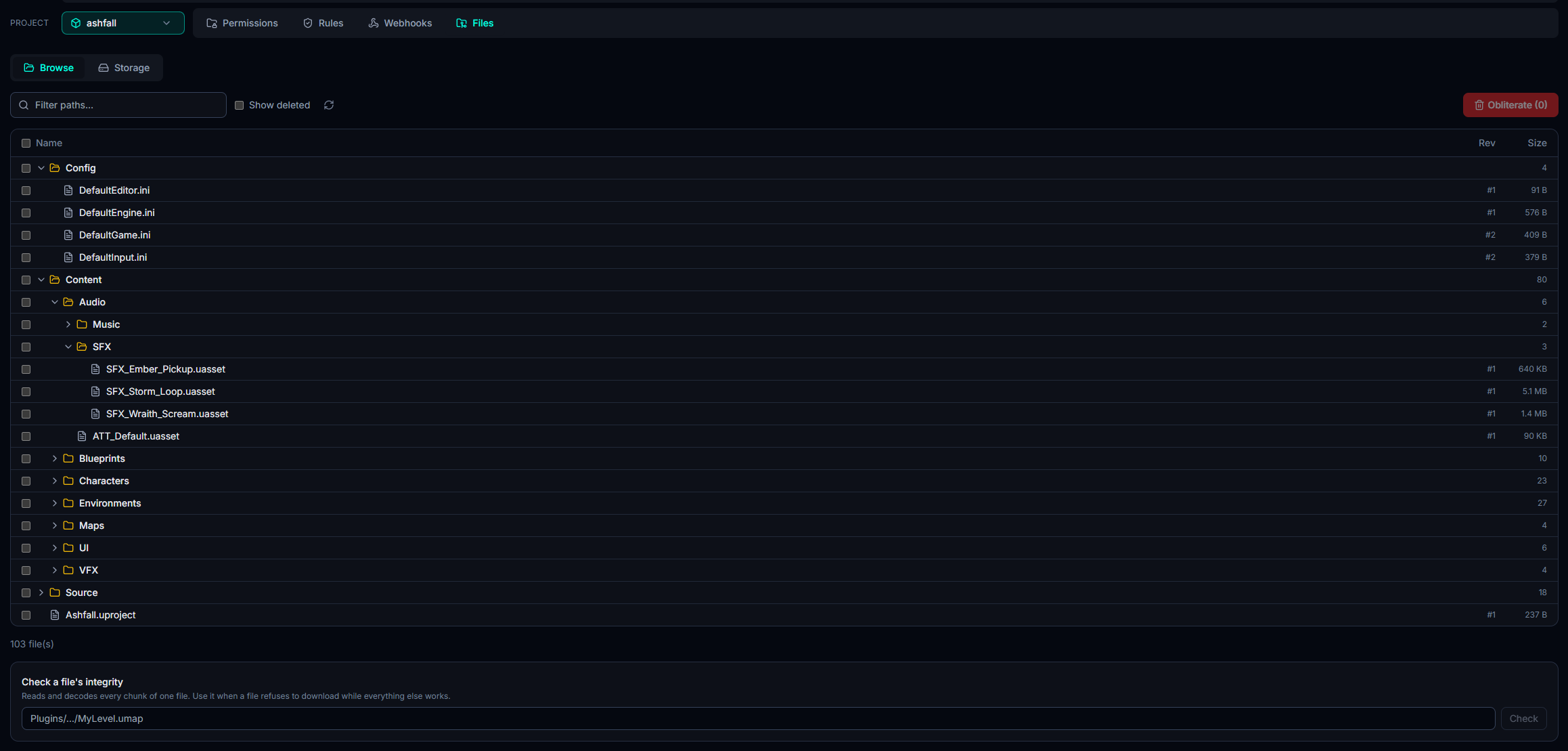
Strictly super admin only: resetting a user's password, deleting them and the Active / Inactive toggle, group management, the audit log, the dashboard and the repository list, distribution, server settings, global statistics and the licence. A project_admin can however create an account and edit the email and role of non-super-admin accounts: see Users.
Server-wide capabilities
A capability is a named authorisation (for example "publish builds", "approve changes") attached to a role rather than to a person or a folder. Important point: a capability applies across the whole server, it has no per-repository dimension. Two practical consequences:
- A
lead, which holds themanage_rulescapability, has access to Distribution across the whole server. - A
project_adminholds no capability: its authority comes from the list of projects it administers, not from a capability. This is deliberate, a capability cannot be limited to a project.